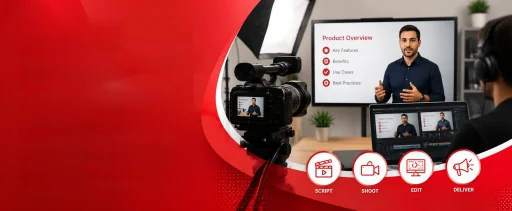


You can build the most intuitive software or the most innovative physical product on the market, but if users don’t understand how to use it, they won’t stick around. Traditional manuals, dense knowledge bases, and hour-long onboarding calls simply don’t cut it anymore. People want to learn quickly, visually, and on their own schedule. That’s exactly why forward-thinking companies are treating product education as a core growth lever, not a support afterthought. That’s exactly why companies invest in a fascinating product training video today.
A strategically crafted product training video doesn’t just explain features. It builds confidence, reduces friction, and turns confused users into loyal advocates. Whether you’re onboarding new customers, upskilling internal teams, or rolling out a complex update, video bridges the gap between confusion and clarity faster than any other format.
In this guide, we’ll walk through the strategy, structure, and production habits that turn educational content into a measurable competitive advantage.
Defining the Product Training Video (Scope, Purpose, Placement)
At its simplest, a product training video is a focused, educational asset designed to teach users how to operate, navigate, or extract maximum value from a specific product. Unlike marketing content, its primary goal isn’t to sell. It’s to enable.
It’s easy to confuse training videos with explainer or demo videos, but they serve completely different stages of the customer journey. An explainer video introduces your brand and high-level value proposition to cold audiences. A demo video highlights key features to persuade prospects during the sales cycle.
Training content, however, steps in after the purchase or sign-up. It’s built for existing users or internal teams who need clear, step-by-step guidance to accomplish real tasks. If you’re mapping out how educational content fits into your broader learning strategy, understanding the foundational role of structured learning assets is crucial. A clear breakdown of what training videos actually are often helps teams decide which modules to prioritize first and how to align them with user milestones.
You’ll typically find these videos embedded in help centers, customer onboarding emails, LMS platforms, and internal enablement hubs. Placement matters just as much as production.
The ROI of Video-Based Product Training
Investing in product education isn’t just a customer support tactic. It’s a revenue protector and a growth accelerator. Here’s why companies that prioritize video-based training consistently outperform those that don’t:
New users want to reach their first “aha” moment quickly. Video walks them through setup, core workflows, and early wins without forcing them to decode documentation. Faster onboarding directly correlates with higher activation rates and lower early churn. When users can watch a 90-second walkthrough instead of submitting a ticket, support volume drops. Teams regularly report 30–50% fewer repetitive questions after deploying targeted training modules.
Features don’t drive retention; outcomes do. Training videos show users exactly how to achieve those outcomes, leading to deeper platform usage and stronger habit formation. The same psychology that drives customer loyalty through strategic content also applies here. In fact, the retention strategies outlined in this guide on how to use video to increase SaaS customer acquisition and retention translate seamlessly to post-purchase education. When customers succeed faster, they renew longer.
Mapping Video Types to the User Journey
Not every learning goal requires the same format. Matching the video type to the user’s stage and intent is half the battle:
- Customer onboarding videos: Welcome new users, guide them through initial setup, and highlight quick wins. Usually 2–4 minutes long.
- Feature walkthrough videos: Deep dives into specific tools, settings, or workflows. Best kept under 3 minutes per feature.
- Internal employee training videos: Enable sales, support, and customer success teams with consistent product knowledge and troubleshooting scripts.
- Advanced tutorials and use-case videos: Show power users how to combine features, automate workflows, or solve complex problems.
- Interactive training modules: Include clickable hotspots, branching paths, or embedded quizzes to transform passive watching into active learning.
Mapping these to specific triggers in the user journey ensures the right content reaches the right person at the exact moment they need it.
What is the CLEAR Framework and How to Structure Every Product Training Video for Impact
Great training content doesn’t happen by accident. It’s built on a repeatable structure. We use the CLEAR framework to ensure every product training video drives comprehension and action:
- Context: Open with a relatable scenario or pain point. Why does this matter right now?
- Learning Goal: State exactly what the viewer will be able to do after watching. One sentence. No fluff.
- Execution Steps: Walk through the process step-by-step. Show, don’t just tell. Keep pacing tight.
- Application: Demonstrate the real-world outcome. What does success look like after applying these steps?
- Recap & Next Step: Reinforce the key takeaway and give a clear directive: try the feature, watch the next module, or download a checklist.
This framework eliminates rambling intros, prevents feature dumping, and keeps viewers focused on outcomes instead of interface clicks.
Production Workflow: From Learning Objective to Final Export
Building effective training content requires discipline, not just a screen recorder. Here’s the exact workflow professional teams follow:
Start by defining your audience and tying the video to a measurable goal: faster setup, fewer errors, or higher feature adoption. Pick one primary workflow. Don’t try to cover settings, integrations, and reporting in one file. Write conversationally, replace jargon with plain English, and read the script aloud. If it sounds like a technical manual, rewrite it.
Map each script line to a visual during storyboarding. What does the viewer see while hearing each sentence? If screen recording, clean up your desktop, hide sensitive data, and move the cursor deliberately. If animating, design custom scenes that simplify complex steps. Clean post-production is where raw footage becomes a polished learning asset.
Teams looking to streamline their workflow often partner with specialists who handle video editing to ensure tight pacing, consistent branding, and platform-ready exports. Trim dead air, add jump cuts, insert captions, and export in responsive formats before deployment.
Best Practices for Cognitive Load, Pacing, and Visual Clarity
The human brain can only process so much new information at once. Respecting cognitive limits is what separates forgettable tutorials from highly effective training.
Keep videos between 2–5 minutes. If a topic requires more depth, split it into a series. Modular content is easier to update, easier to search, and easier to digest. Use visual hierarchy intentionally: highlight only the buttons or fields that matter, dim the rest, and avoid cluttered screens. When you need highly specific visuals that match your product’s look and feel, custom illustration services can elevate your training library from generic to brand-perfect.
Maintain a conversational narration pace. Rushing causes drop-offs; dragging causes boredom. Change visuals every 5–8 seconds to reset attention. Use on-screen text to reinforce key steps, but never read the screen verbatim. Let the visuals and voiceover complement each other, not compete.
Engagement Engineering: Storytelling, Interactivity, and Microlearning
Engagement isn’t a bonus; it’s a requirement. If users click away, the training fails. Here’s how to keep them watching:
Frame lessons around actual user goals. Instead of “Overview of the reporting tab,” use “How to generate your first client-ready report in 60 seconds.” Introduce a relatable user, show their struggle, walk through the fix, and highlight the outcome. Stories trigger emotional memory, which boosts retention.
Add interactive elements like quizzes, clickable branching, reflection prompts, or downloadable checklists. These transform passive viewing into active learning and dramatically improve knowledge application. Break longer topics into microlearning chapters. Instead of one 15-minute video, create five 3-minute modules. Users can watch them between meetings, search them later, and return to specific steps without scrubbing through a marathon file.
Where Most Teams Fail (And How to Course-Correct)
Even well-funded teams stumble when they skip fundamentals. Watch out for these traps:
Cramming 10 features into one video guarantees none will stick. Respect cognitive limits and stick to one outcome per module. Without a clear hook, pacing, or measurable goal, viewers drop off before minute two. A video built for engineers will confuse marketers. Match language, depth, and examples to the actual viewer.
Muffled voice-overs, echoing rooms, and cluttered screens signal low effort. Users subconsciously discount the message when production feels amateur. If you can’t track whether the video worked, you can’t improve it. Tie every product training video to a metric: completion rate, feature adoption, or ticket reduction. Tight planning and disciplined editing prevent 90% of these issues before deployment.
Animation vs Screen Capture: Choosing the Right Visual Strategy
Screen recordings show. Animation explains. That’s why animated training consistently outperforms raw captures, especially for complex or abstract products.
Animation breaks down multi-step workflows, data syncing, or API connections into clean, digestible visuals. Users grasp value faster when invisible processes become visible. Motion, color, and intentional design keep eyes on the screen. Higher watch time equals higher knowledge retention. Use screen recordings for straightforward UI navigation. Use animation for abstract concepts, compliance scenarios, or when your product’s backend is hard to film. If you’re deciding which visual style fits your learning goals, comparing formats can save weeks of trial and error. A practical breakdown in this whiteboard vs 2D animation guide often helps teams choose the right approach for their content. For process-heavy topics, whiteboard animation remains highly effective at guiding the viewer’s eye exactly where it needs to go.
Tech Stack & Distribution: LMS, In-App, and Omnichannel Rollouts
Production is only half the job. If users can’t find your videos, they won’t watch them. Deploy strategically:
- Embed short walkthroughs on feature pages, pricing pages, and help centers.
- Reduce friction before it becomes a support ticket.
- Trigger videos based on user behavior.
- If someone hasn’t set up integrations after 48 hours, automatically send a 2-minute setup guide.
- Host structured learning paths for internal teams or enterprise clients using SCORM/xAPI to track progress.
- Equip sales, support, and customer success with searchable video libraries.
- Update modules when features change, and archive outdated content to prevent confusion.
Measurement Model: Linking Watch Time to Adoption & Support Deflection
If you don’t measure impact, you’re guessing. Here’s how to track what actually works:
- Drop-off points reveal pacing or clarity issues.
- Aim for 75%+ completion on core modules.
- Post-video quizzes, pulse surveys, and CSAT scores validate comprehension.
- Ask specific questions about clarity and relevance.
- Track ticket volume before and after deployment.
- A successful training asset should directly lower repetitive inquiries.
- Calculate cost per learner, time saved vs live sessions, and adoption lift.
- When education reduces onboarding from 3 weeks to 10 days, the math speaks for itself.
2026 Shifts: AI, Personalization, and Mobile-First Learning
The learning landscape is evolving fast. Here’s what’s shaping product education this year and beyond:
AI assists with script drafting, voiceover generation, auto-captioning, and scene editing. It accelerates production but doesn’t replace strategy. Branching scenarios let users choose paths. Clickable hotspots and embedded quizzes transform passive watching into active problem-solving.
LMS platforms now serve role-specific video feeds, adaptive pacing, and AI-recommended modules based on skill gaps. Deskless workers and hybrid teams learn on phones. Vertical formatting, large UI text, offline downloads, and caption-first design are becoming standard.
The Case for Professional Product Training Video Production
Internal teams can absolutely create training content. But as scale, consistency, and engagement expectations rise, partnering with specialists becomes a strategic advantage.
Professionals understand pacing, cognitive load, and visual hierarchy. They turn dry features into engaging, outcome-driven lessons. Polished audio, consistent branding, and motion-driven clarity dramatically boost completion rates. Higher engagement means faster proficiency and fewer errors. Specialists build scalable templates, style guides, and voiceover standards. Every video feels cohesive, whether it’s for onboarding, compliance, or advanced tutorials.
Professional assets compound over time. They become searchable knowledge bases and onboarding accelerators. When product training video libraries scale across departments or languages, consistency becomes impossible without a structured partner. Teams that align with experienced studios avoid revision loops, maintain quality, and deploy faster. If you’re evaluating how to elevate your internal learning content, exploring dedicated training video production services often reveals how much time and budget companies save when strategy leads execution.
Wrapping Up
Product education isn’t about checking a support box. It’s about building confidence, reducing friction, and turning users into advocates. And in 2026, video is the only format that delivers clarity, scalability, and engagement at once.
When you approach training content with intention, you stop creating tutorials and start building a learning engine. You respect cognitive limits. You lean into real-world scenarios. You measure what matters. You update what breaks. And you give every user the same high-quality experience, regardless of when or where they watch. A strategically produced product training video doesn’t just teach; it retains, converts, and scales.
If you’re ready to move beyond makeshift screen recordings and build a training library that actually drives adoption, the team at Video Jeeves specializes in crafting custom, engagement-focused product education from script to final delivery. Whether you’re scaling customer onboarding, simplifying complex features, or upskilling internal teams, strategically produced video becomes your most reliable growth lever.